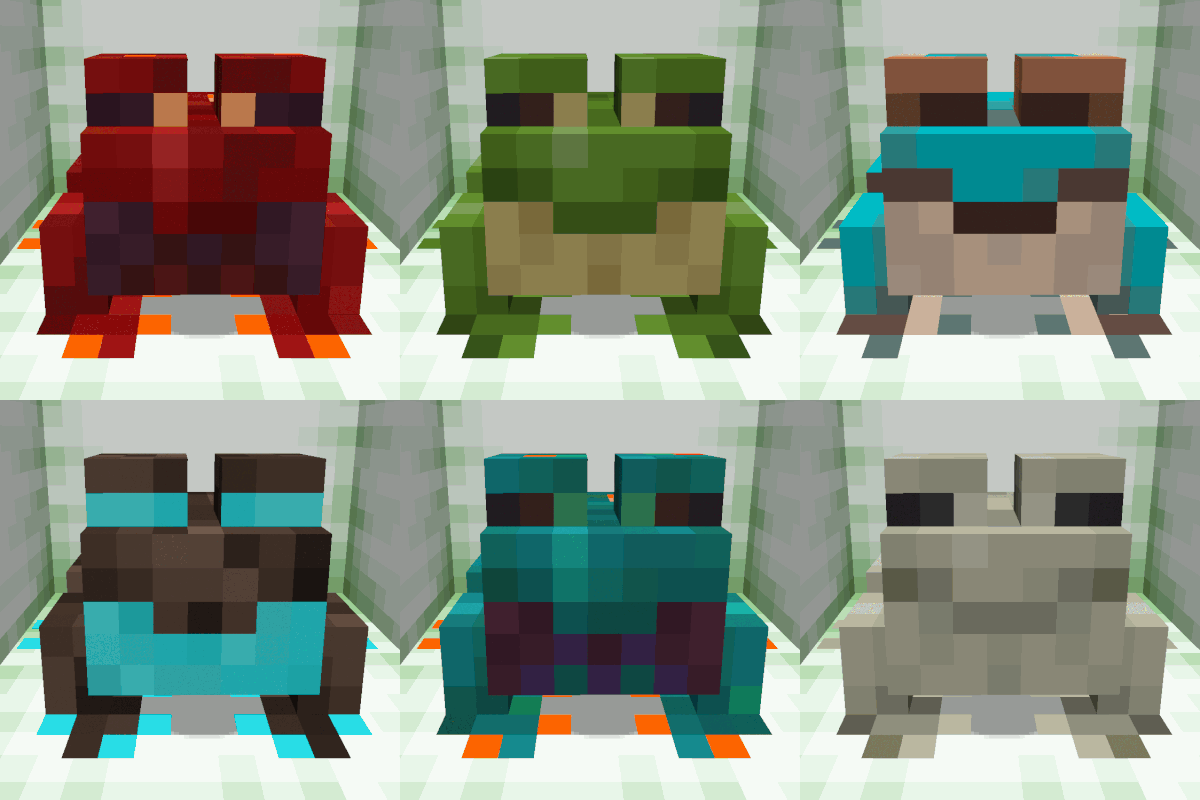
SpaceFrog's Frog Variant Shifter
Change a frog's color (variant type: cold, temperate, warm) using a vanilla/survival-friendly method. Works with the More Frogs 2 variants: crimson, ender, infernal, poison_dart, purpur, sculk, spirit, warped, and wood.
Have you ever wished you could change a frog's color/type? Well now you can! This datapack is compatible with the More Frogs 2 mod and its custom frog variants, but this mod is not required for the datapack to function.
For survival mode, hold the 'payment' in your off-hand (more on that later) while using a name tag to rename the frog with one of the following variant names: cold, crimson, ender, infernal, poison_dart, purpur, sculk, spirit, temperate, warm, warped, wood. If you do not have yoru payment in your off-hand, the frog will not change to the new variant. Make sure you're standing close to the frog you're remaining, it's the closest frog to you that will be shifted to it a new variant type, not necessarily the frog you just renamed (this will be improved in future versions of the datapack).
By default, players are locked out through advancements from being able to reassign a frog to specific variant until the player has encountered that frog variant in the world and fed it a slime ball. This is a nice way to force the player to work on breading up specific frog variants but gives players a convenient way to make more of the same type of frog after they've gone through the process at least once. Creative players and server admins can override this lockout by giving players all needed advancements using the '/advancement' command.
You can also randomize a frog's variant type - just rename a frog 'random' and every couple of seconds it will change variant type, cycling through all the variants you have advancements for (the types you've fed a slime ball to at least once, see above).
For creative mode players, you can change a frog's variant type by standing next to the frog you want to change, then type the command '/function assign_frog_variant:' followed by the frog variant type. You'll see the available variants when you type out this command; for example use '/function assign_frog_variant:cold' to change the frag to the cold variant type.
Features Coming Soon
- To change the payment type, first get server op status or switch to creative, then type command '/function survival_variant:set_payment' while holding the payment item in your off-hand (you can be holding anything you want in your main hand, it will be ignored). This will set the payment for all frog variant to whatever is in your off-hand. If your off-hand is empty, then the payment is free, but when you rename a frog to change its variant type later, you must make sure to your off-hand is also empty since 'nothing' is counted as the payment.
- The payment can only be a singular item, so if you want the payment to be more than say 1 emerald, you can make the payment an emerald block instead. If you want to set different payments for specific frog types, hold the payment item in you off-hand and type '/function survival_variant:set_payment_' followed by the frog variant name (for example '/function survival_variant:set_payment_cold' will set the payment for cold variant frogs). The default payment for the three vanilla frog variants (cold, temperate, warm) is a diamond; the default payment for all other variants is a diamond block. If you want to block access to a specific variant type, just use a block that's impossible to get in survival like a barrier block when you set the payment type for that variant.
